Quality Control - Concrete
Concrete • Mortar • Grout • Block • Cylinders • Beams • Cubes • Prisms • Cores
Cement Products Test Reporting
ASTM C31, C39, C42, C78, C109, C140, C293, C496, C780, C942, C1019, C1116, C1107, C1314 and C4832
AASHTO T22, T23, T24, T97, T106, and T177
CCRL compliant reporting

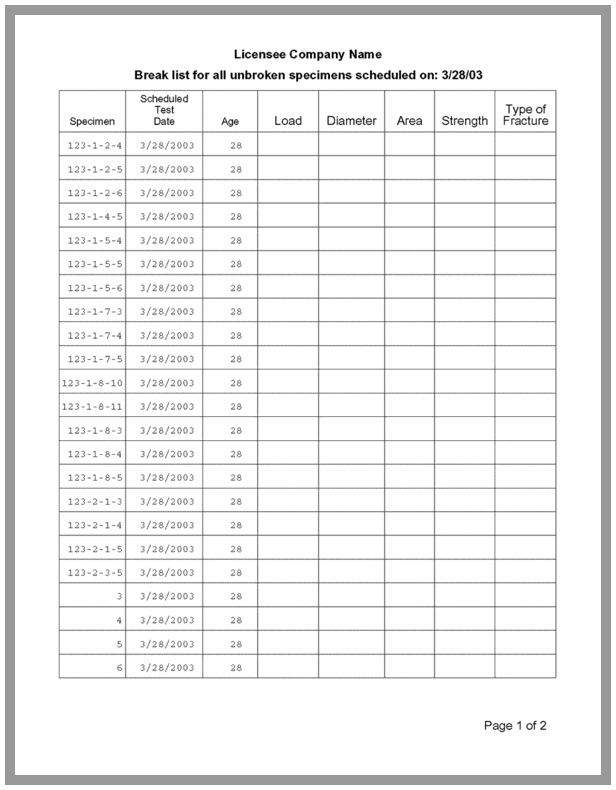
The GEOSYSTEM Quality Control - Concrete (QC-Concrete) program maintains strength and property testing data on cement products, including concrete cylinders and beams, and mortar and grout cubes. It delivers client submittal and in-house tracking reports and lets you print lists of all specimens to be broken on a given day. Reports comply with all applicable ASTM and AASHTO reporting requirements.
QC-Concrete is site licensed. One license fee covers unlimited installations at a single address and there are no ongoing maintenance costs.
Data Entry
Efficient, convenient data entry of field tests is done on the QC-Concrete main screen, which appears when the program starts. The screen displays a single test, selected using drop down lists of projects and report numbers at the top section of the screen.

Entering Information About the Test
Entering Information About the Specimen
Break List Data Entry
QC-Concrete gives you a quick and easy way to enter a day's break results. The Break List Data Entry screen lists the specimens scheduled to be broken on a given day, in the same order as they are printed on a QC-Concrete break list.

Test Result Reporting

|
Report Formats
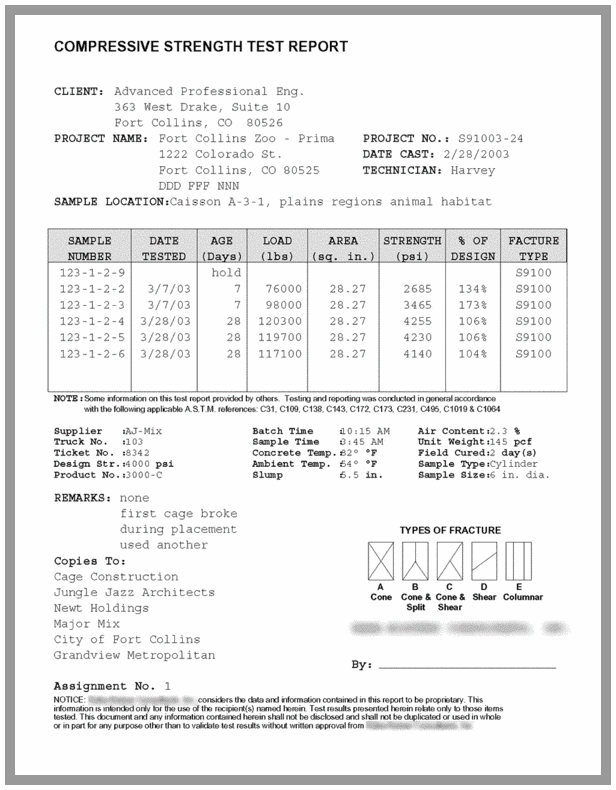
QC-Concrete ships with report forms specifically designed for all common cement products tests, including variants that reserve form space for letterhead printing. We also offer a fee-based report customization service for licensees with specific reporting requirements.


Test Summary Reports
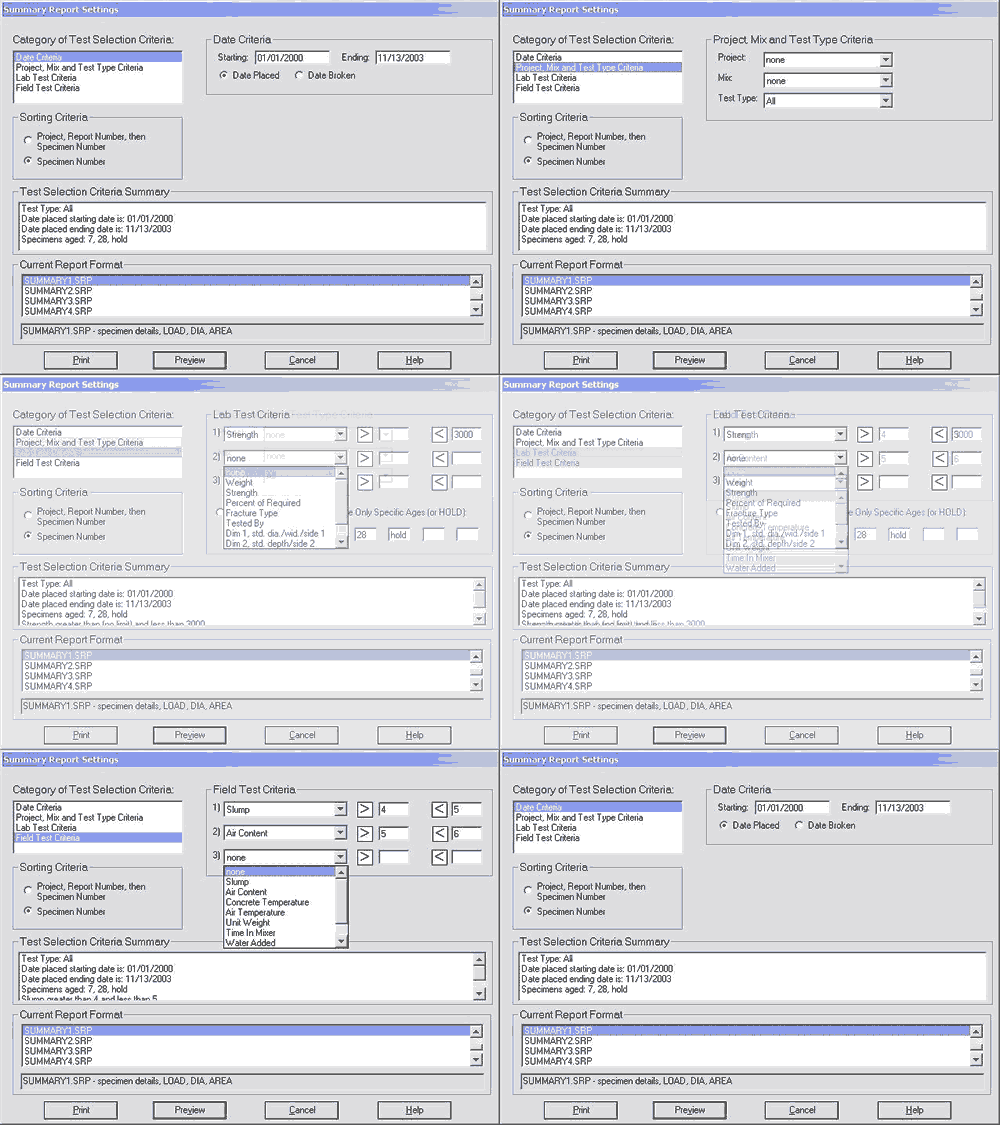
Testing summary reports list all specimens broken based on user specified selection criteria. (These reports are useful for invoicing or project summary purposes.) Many summary report formats are included with the standard package, and custom reports may be designed.
|

Break List Reports
If samples are entered into the system as they are received, along with their test age, the software can generate a daily report of samples to be tested. Printed reports can be used as a lab. data sheet.